
Features
Everything your restaurant needs, built to work together
Nine modules on one database: what happens at the table shows up in the kitchen, the cash desk, the stock room and the report at the same moment.
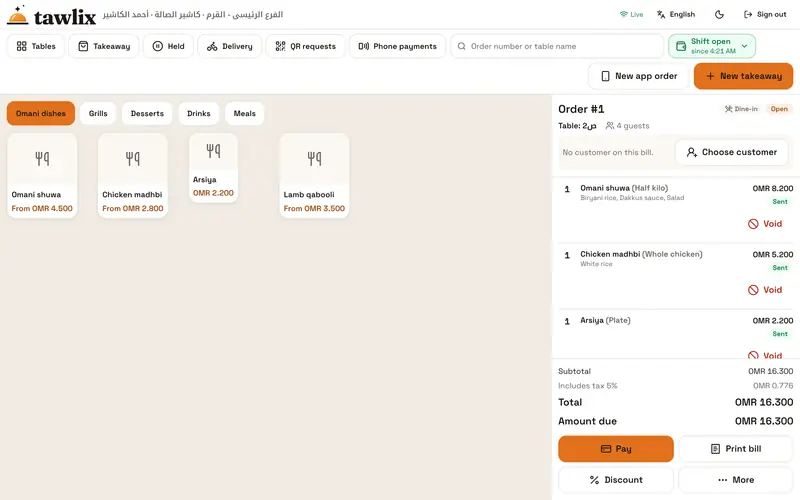
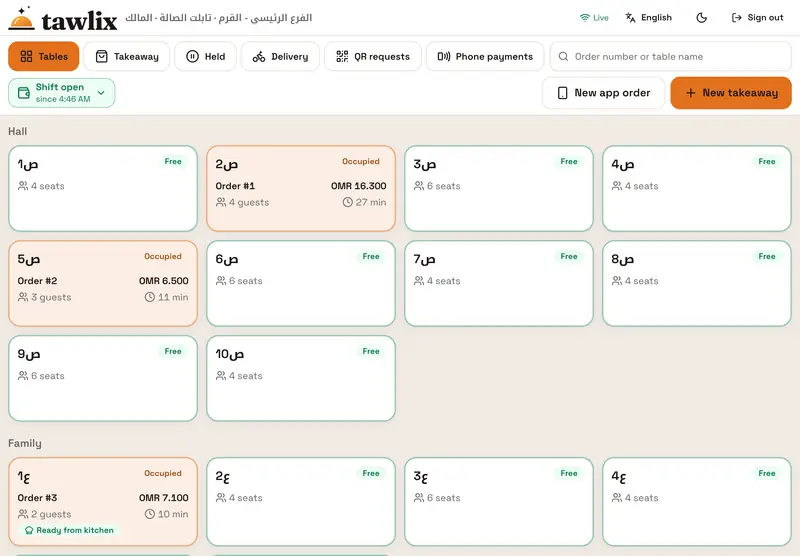
POS and table service
Dine-in, takeaway, delivery and app orders from one screen, with a table map and waiter tablets.
- A table map by section, such as main hall, family area and majlis, with each table’s status and total
- Item sizes, required and optional add-ons, and notes for the kitchen
- Split payment methods, and split the bill by items or equally
- Move a table, merge two tables or move an item, all permission-checked and logged
- Hold and recall takeaway orders, with order numbers that restart at 1 every day
- Waiter tablets take orders, send them and request the bill, and never handle cash
Kitchen screens
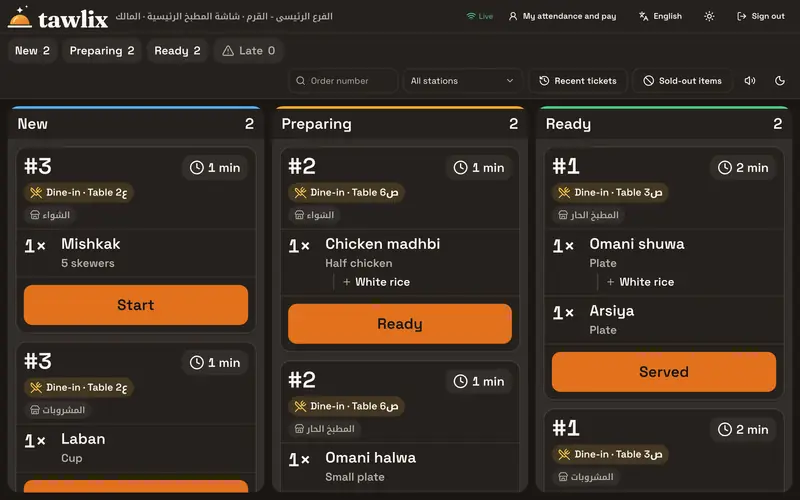
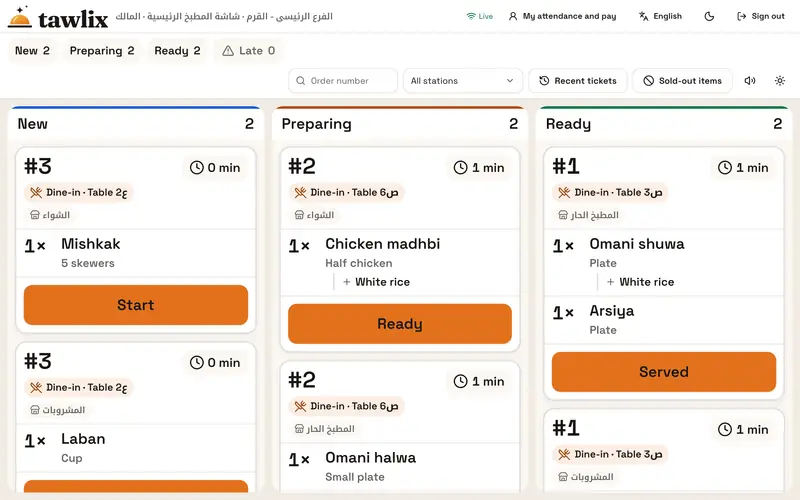
A ticket per station you can read from two meters away, a color timer and one button to the next step.
- One ticket per station and per round; later additions come as their own ticket
- Clear cancel tickets, so nothing disappears from the kitchen silently
- A color timer with the word “late”, and a sound for each new ticket
- One large button moves a ticket to its next status, with a ten-second undo
- Mark a dish as sold out and it stops selling at once at the cashier, the waiter and the QR menu
- Light and dark mode; a printer, a screen or both
Delivery and apps
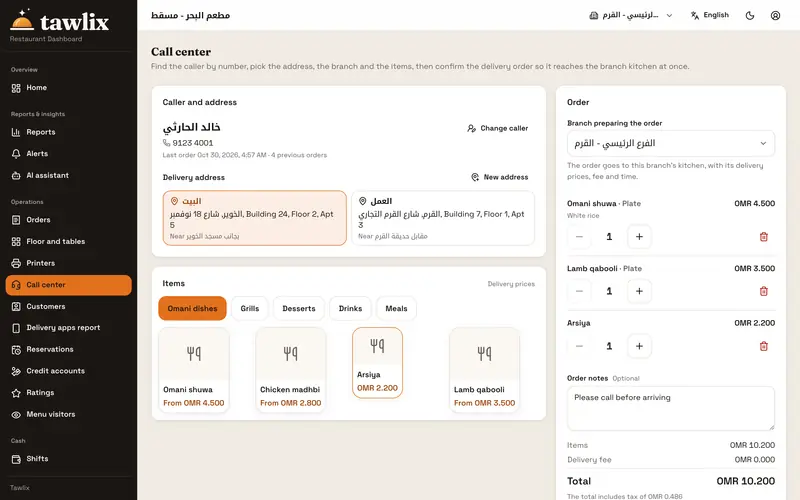
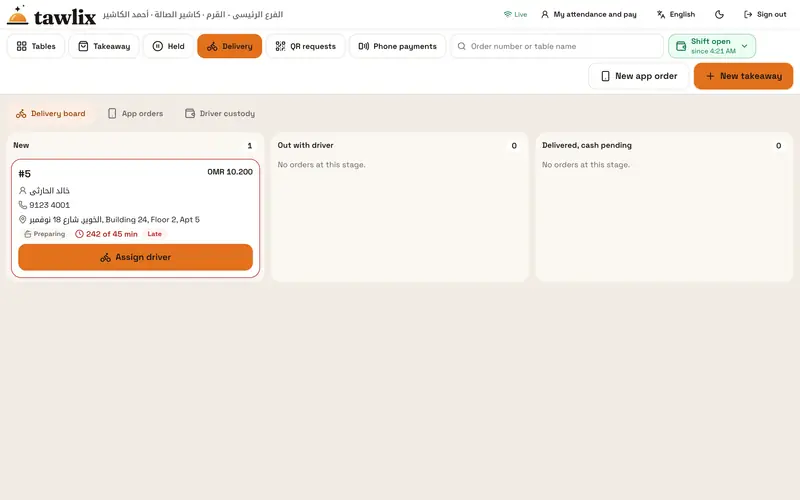
A call center that knows customers by phone number, driver cash tracking and a report per delivery app.
- Find a customer by phone number, whatever format it was typed in
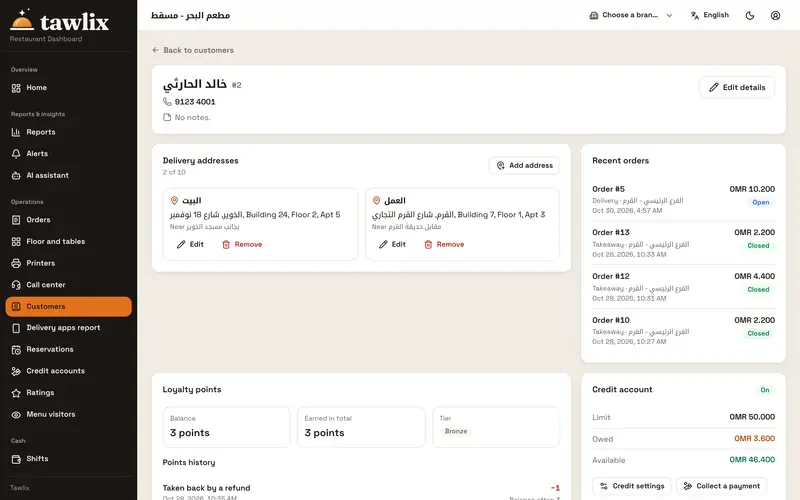
- Several addresses per customer, and repeat a past order in one tap
- Assign the driver, then collect delivery cash from the driver screen
- App orders with the app’s own order number and a price list per app
- A report per app: orders, sales, commission and net amount due
Cash and day close
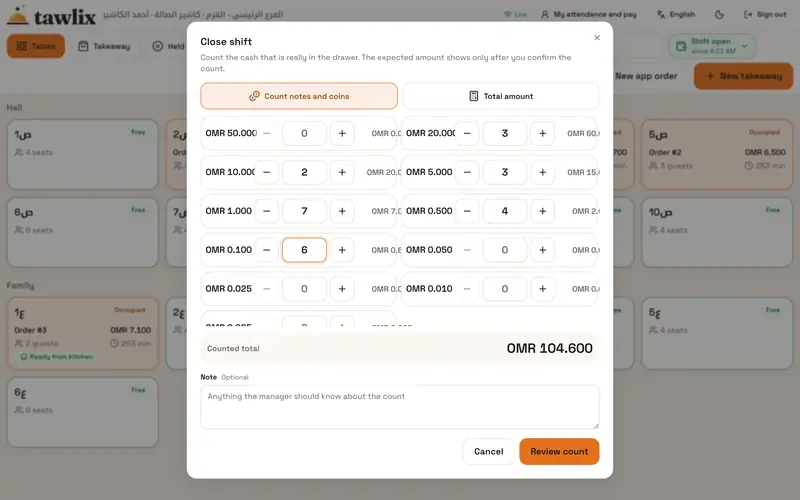
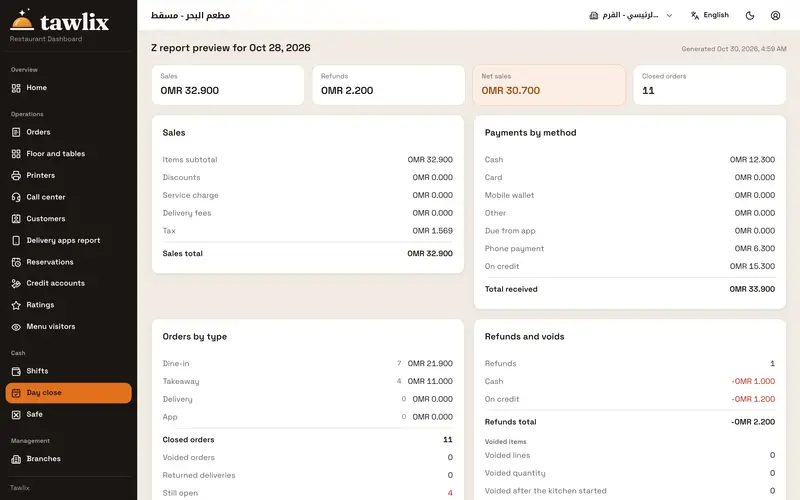
A shift per device, blind cash counts, and a Z report built on the same rules as the bill.
- A shift per cashier device with an opening float; no sales without an open shift
- Petty expenses with a receipt photo, safe drops and change top-ups
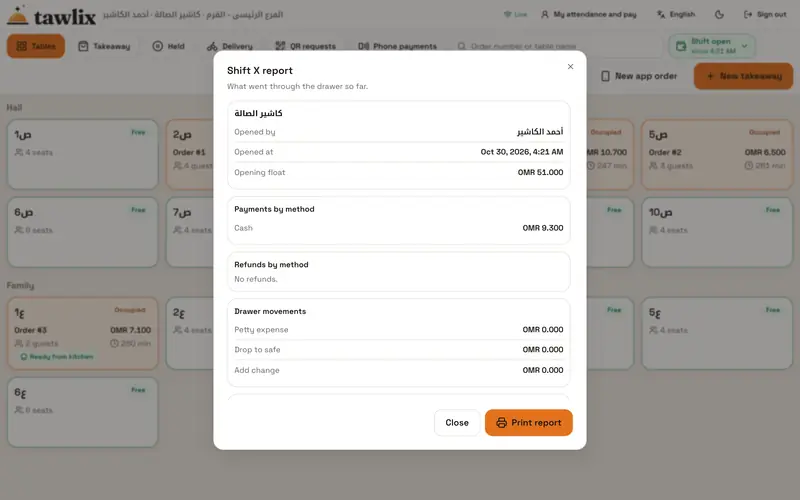
- An X report at any time, with each payment method on its own line
- Blind counts by denomination and hand-over to the manager by PIN
- A business day that starts at 6 AM, or whenever you choose
- A closed day reopens only with the owner’s permission
QR menu and guest payment
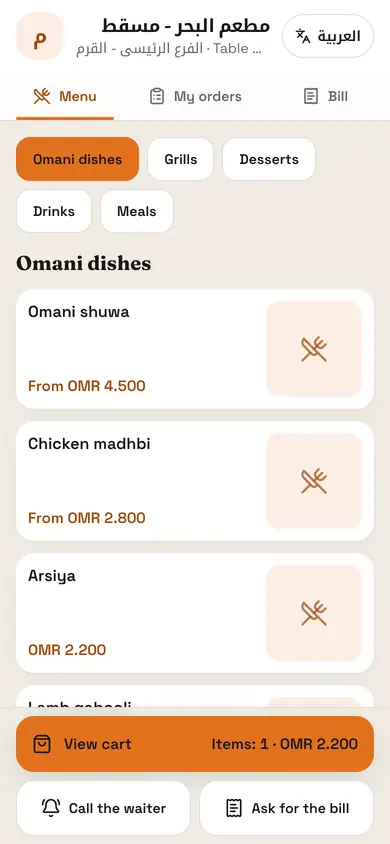
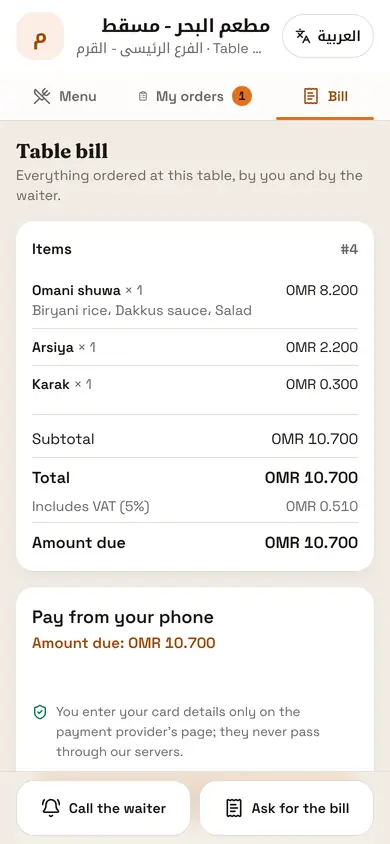
A live menu with prices and add-ons, orders that wait for approval, call-waiter and pay from the phone.
- Guests register with name and number and are matched to existing customers
- Sizes, add-ons and prices come straight from the system
- Orders reach the cashier and waiter for approval, then join the table bill
- Call-waiter and bill requests reach the tablets with the table number
- Phone payments land in the cashier’s shift as their own method
- Food and service ratings after the bill, with an alert to the manager for low scores
Loyalty and credit
A complete customer card, points to earn and redeem, and credit limits set by the owner.
- The customer card: addresses, past orders, notes, points and balance
- Points earned on every bill and redeemed on it, and returned with refunds
- Only the owner turns on credit and sets limits; going over takes the owner’s PIN
- Collections into the drawer or the safe, printable statements and debt aging
- Search by name, with Arabic letter variants matched, or by number in any format
Inventory and recipes
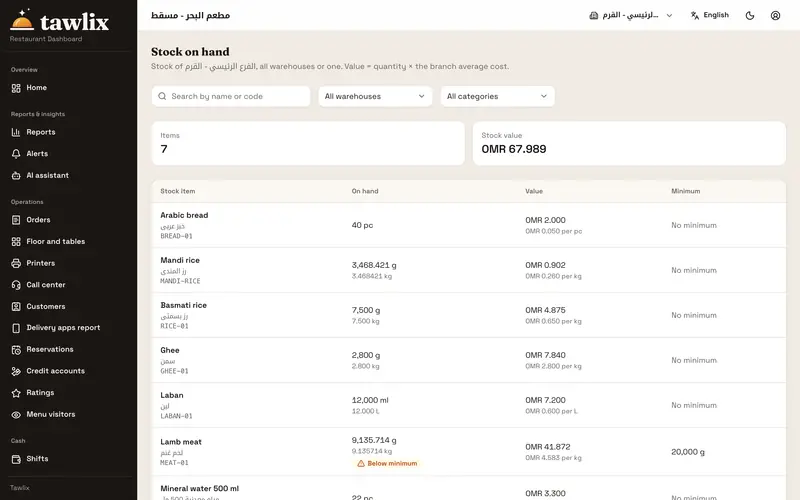
A recipe per item and size, automatic deduction, real cost and margin, purchasing and suppliers.
- Storerooms per branch, such as main, fridge and kitchen, without a central warehouse to manage
- A recipe per item and size, with cost, margin and cost percentage
- Unit conversion: buy by the carton or kilo, use by the gram
- Prepared items such as mandi rice, deducted automatically when orders go to the kitchen
- Daily and weekly counts, waste within an allowed rate, transfers between storerooms and branches
- Purchase orders, receiving, supplier invoices and payments with attachments
Offline branch hub
The cashier PC runs the branch when the connection drops, then syncs everything in order.
- The cashier keeps selling and printing from its saved menu and prices
- Waiter tablets and the kitchen screen switch to the branch network on their own
- Order numbers never collide, even offline
- Everything uploads in order when the internet returns, with nothing lost or duplicated
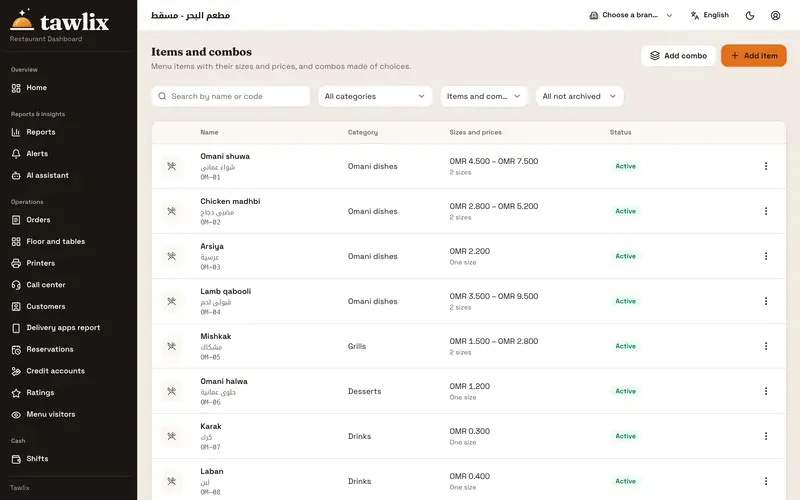
- Last sync time per branch, and differences flagged to the manager instead of silently rejected
Reports and control
Your day’s Z report, a report per delivery app, menu visitors, and a full log of every void and discount.
- The Z report and its preview before closing: sales, refunds and payments by method
- Orders by type: dine-in, takeaway, delivery and apps
- A report per delivery app with commission and net amount
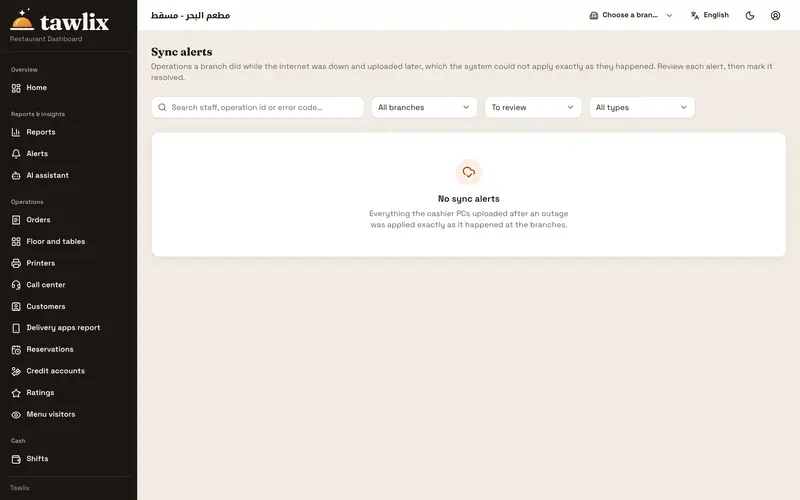
- Menu visitors: who browsed but did not order, and which dishes are viewed but rarely ordered
- A control log of voids, discounts, refunds, reprints and drawer openings
Also included
Menu from Excel
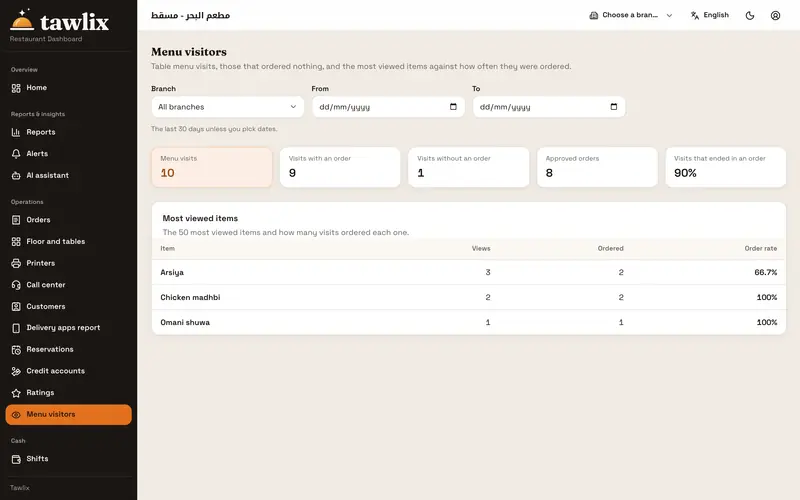
Import your categories, items and prices in one go, in Arabic and English.
Staff and roles
Ready-made roles you can edit, a PIN per employee, and manager approval on the same device.
Pair devices with a code
Each device joins its branch with a ten-minute code, with no complicated setup.
Reservations
Book a table by date, time and party size, in front of the floor team.
Printing
Guest receipts, pre-bills and station tickets; every reprint is marked “copy”.
Arabic first
Right-to-left screens, with English for every user who prefers it.
See Tawlix on your own restaurant
Book a demo and we will walk you through a full day, from opening the shift to the Z report.