
The restaurant system for Oman and Egypt
Run your restaurant from the first order to the day close, in one system
Tawlix brings the cashier, waiter tablets, kitchen screens, QR menu, inventory and reports together in one Arabic-first system that keeps selling when the internet drops.
- Works offline
- Omani rials and Egyptian pounds
- Arabic first, English too
Why Tawlix
Designed around a real restaurant day
We built Tawlix alongside a restaurant that serves every day, so we started from the problems that come up every hour, not from a feature list.
The internet drops at peak time
The cashier keeps selling and printing, orders reach the kitchen over the branch network, and everything uploads once the connection is back, with no duplicates.
Kitchen slips get lost and orders run late
One ticket per station, a timer that changes color as it runs late, clear add-on and cancel tickets, and one button to move each order on.
The drawer never matches at shift end
Blind cash counts by denomination, every payment method on its own line, hand-over to the manager by PIN, and an alert past the allowed difference.
Discounts and voids nobody checks
A required reason, a cap per role, manager approval on the same device, and a log that is never deleted, showing who did it and who approved.
You do not know what a dish costs you
A recipe per item and size, automatic stock deduction with every order, and cost and margin computed from your real numbers.
Separate tools that do not talk
Dine-in, takeaway, delivery, app orders and the QR menu in one system, on one bill and one report.
Modules
Every corner of your restaurant has its place in Tawlix
Nine modules working on the same data, from the table to the kitchen, the stock room and the end-of-day report.
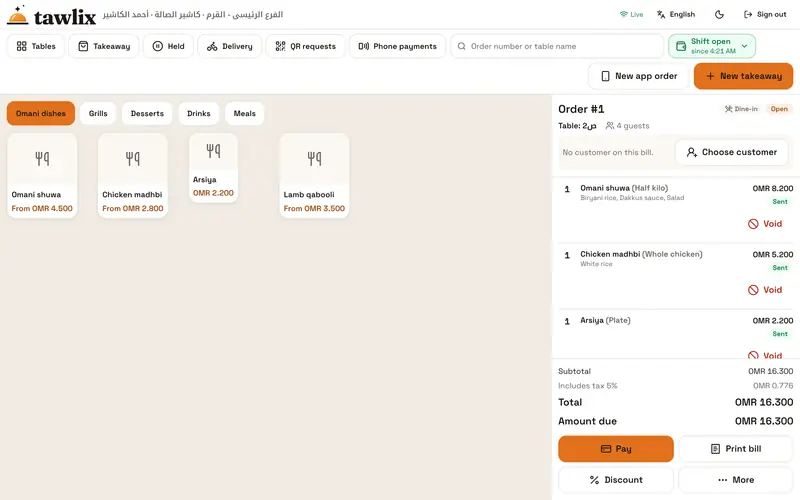
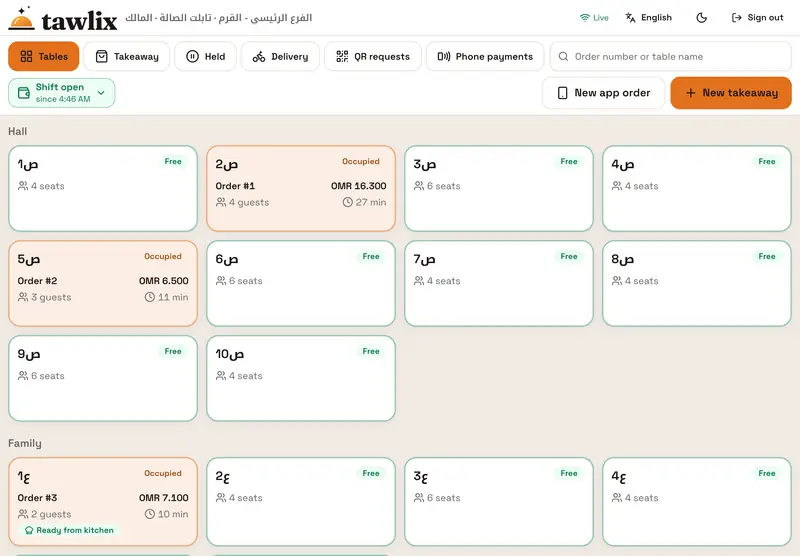
POS and table service
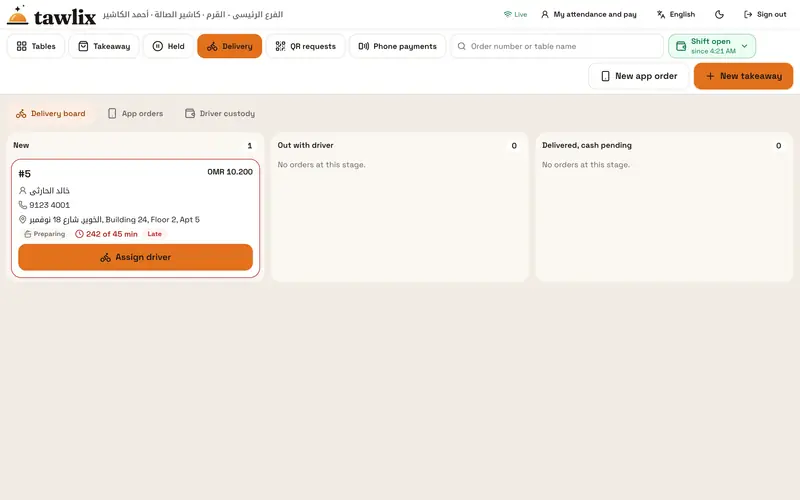
Dine-in, takeaway, delivery and app orders from one screen, with a table map and waiter tablets.
Learn more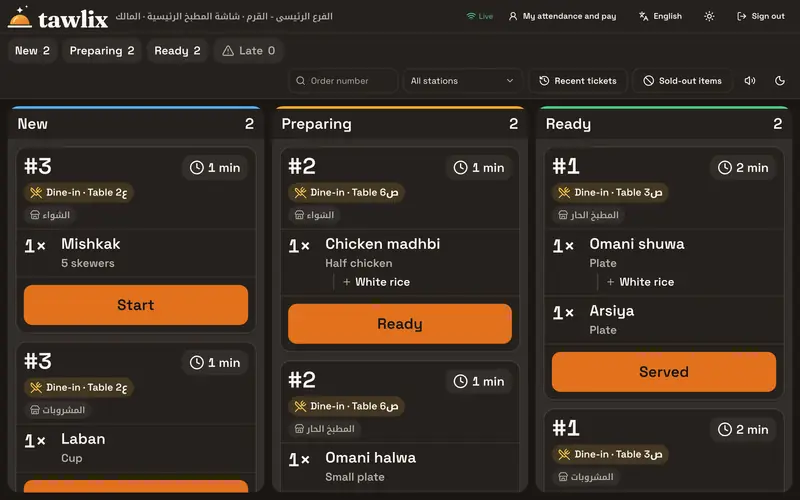
Kitchen screens
A ticket per station you can read from two meters away, a color timer and one button to the next step.
Learn more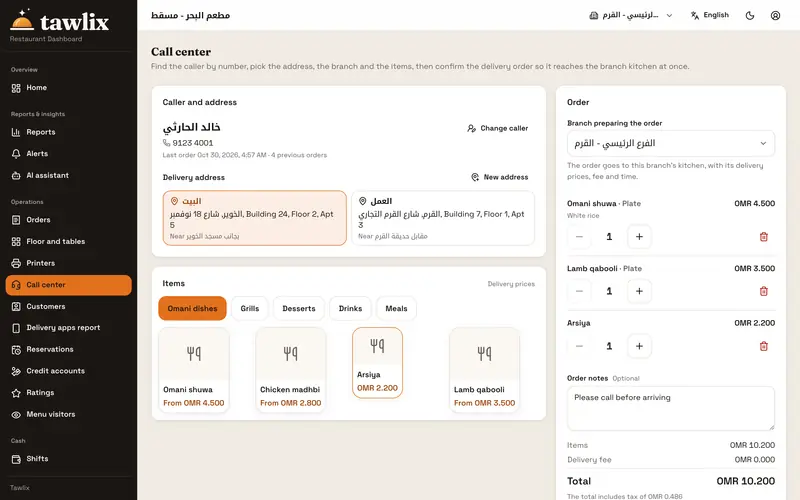
Delivery and apps
A call center that knows customers by phone number, driver cash tracking and a report per delivery app.
Learn more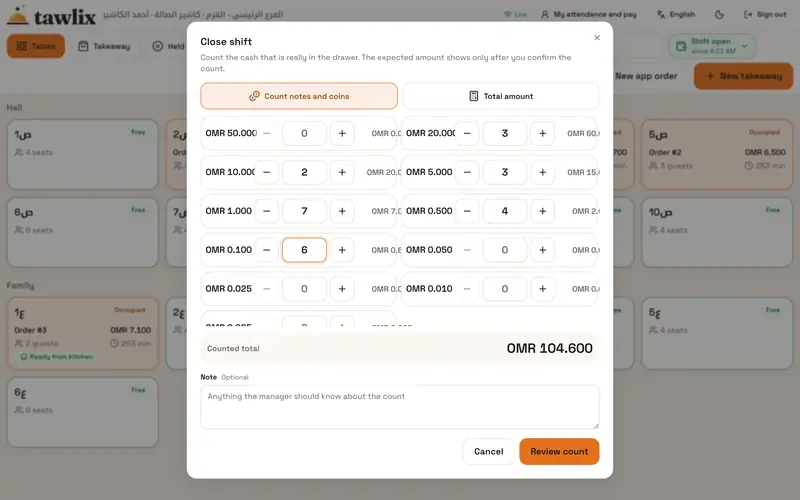
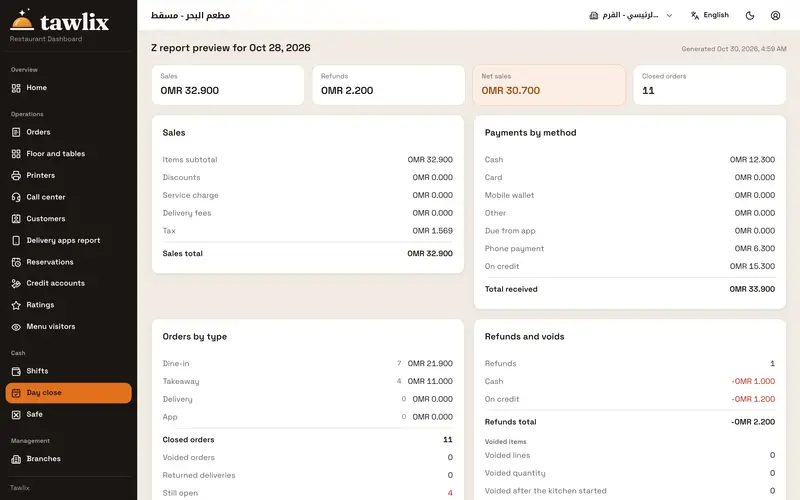
Cash and day close
A shift per device, blind cash counts, and a Z report built on the same rules as the bill.
Learn moreQR menu and guest payment
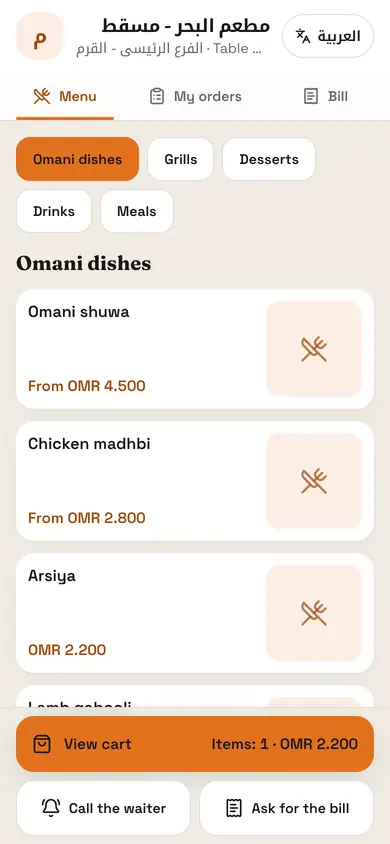
A live menu with prices and add-ons, orders that wait for approval, call-waiter and pay from the phone.
Learn more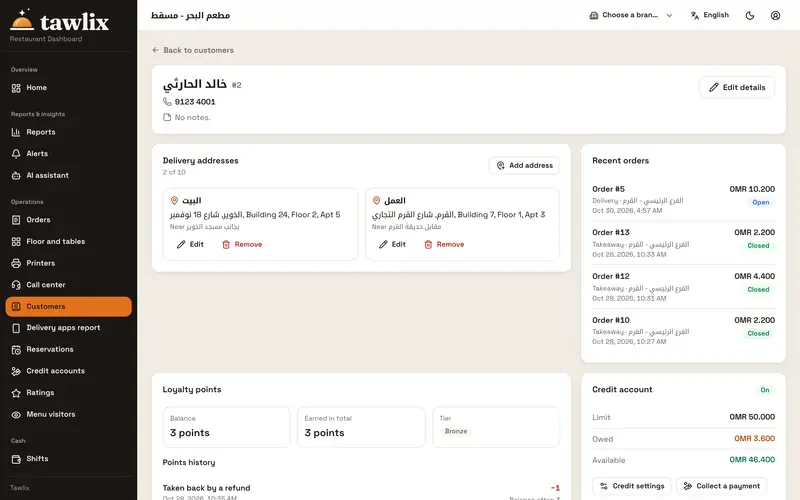
Loyalty and credit
A complete customer card, points to earn and redeem, and credit limits set by the owner.
Learn more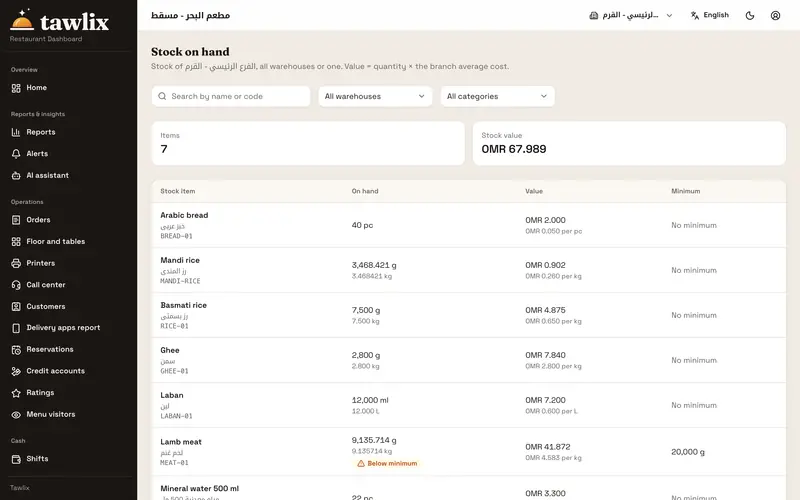
Inventory and recipes
A recipe per item and size, automatic deduction, real cost and margin, purchasing and suppliers.
Learn more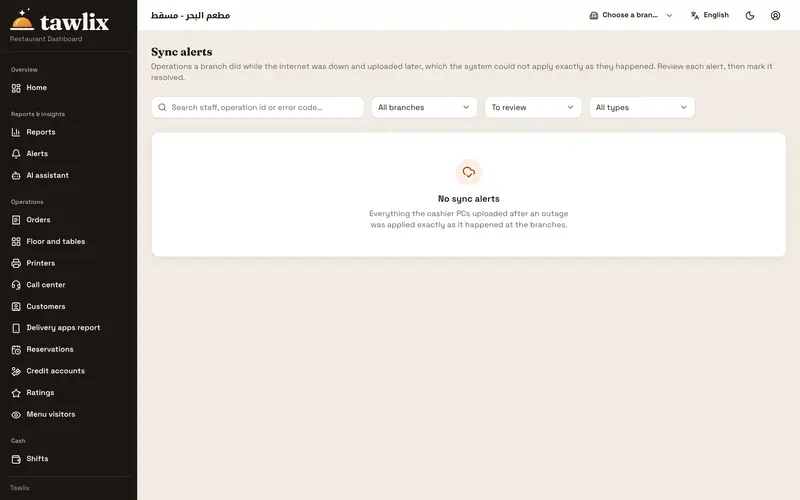
Offline branch hub
The cashier PC runs the branch when the connection drops, then syncs everything in order.
Learn more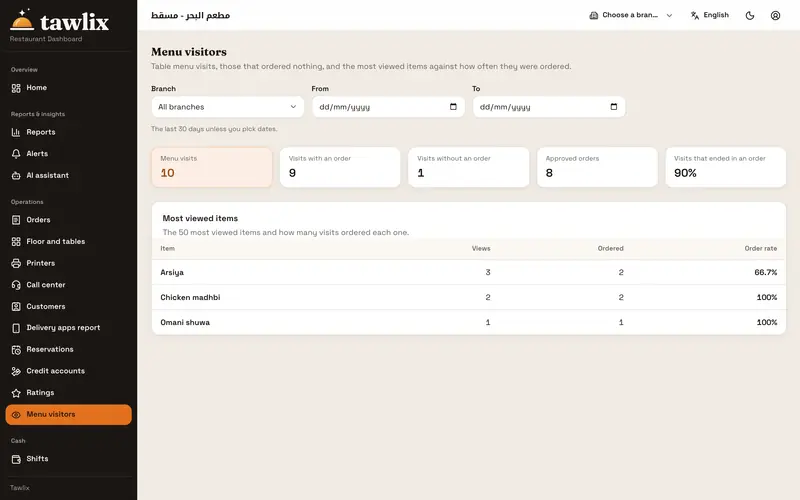
Reports and control
Your day’s Z report, a report per delivery app, menu visitors, and a full log of every void and discount.
Learn more
Works offline
Internet down? Your restaurant keeps going
The cashier PC is the hub of the branch. When the connection drops, the floor and kitchen devices switch to it over the local Wi-Fi on their own, and service carries on.
- 1
Online
Every device talks to the cloud directly, and each operation reaches the dashboard as it happens.
- 2
Offline
The cashier sells from its saved copy of the menu and prices; tablets and the kitchen screen connect to it over the branch network.
- 3
Back online
Everything uploads in order, with nothing lost or duplicated, and each branch shows its last sync time and flags any difference.
QR menu
Guests order and pay from their phone, and you stay in control
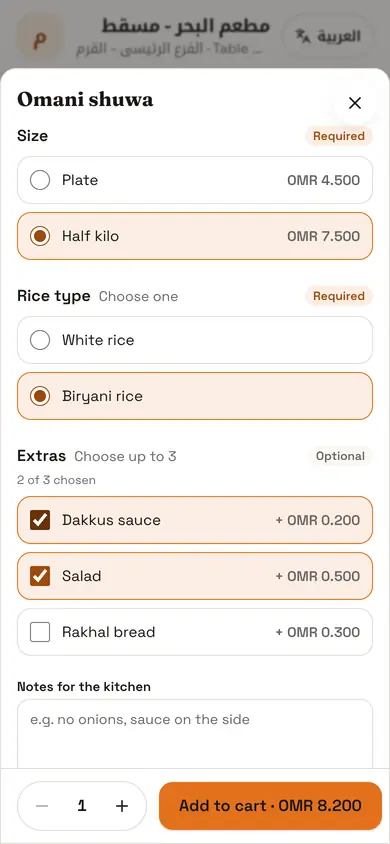
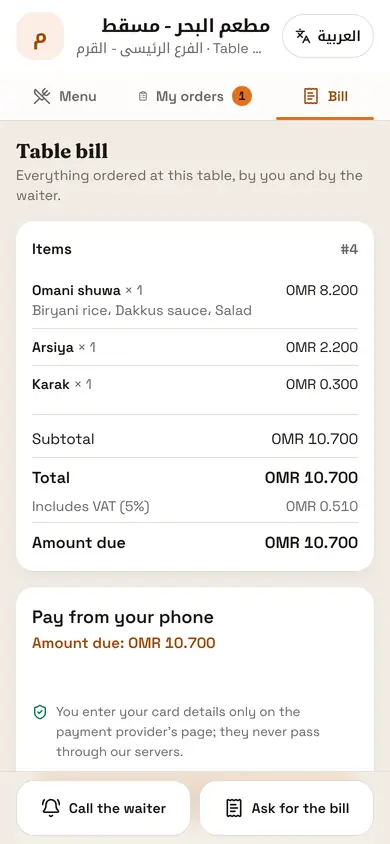
A guest scans the code on the table and sees the menu with prices, sizes and add-ons. The order reaches the cashier and waiter for approval, then goes to the kitchen on the same table bill.
- Guests enter their name and number, become your customers and earn points
- Sold-out dishes disappear from the menu at once
- Call the waiter or ask for the bill with one tap
- Pay from the phone, then rate the food and service
Made for our markets
Built for Oman and Egypt from day one
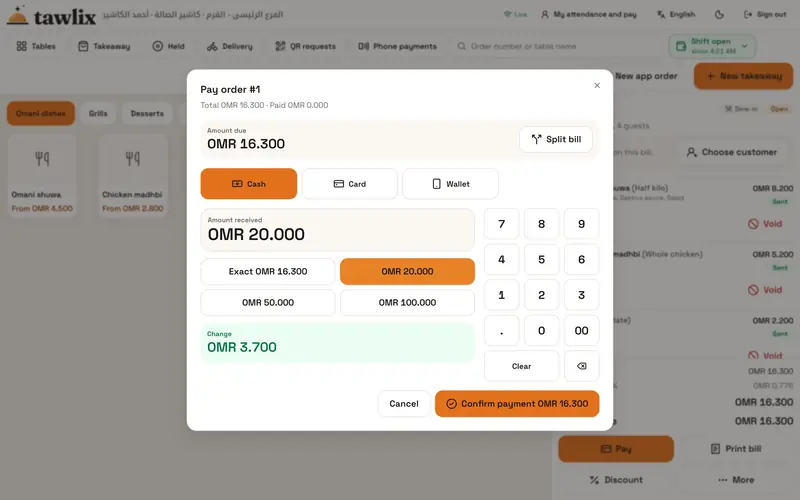
Currency, tax, service charge, phone numbers and language: the details imported systems get wrong work here the way you expect.
Getting started
From the first call to your first day live
- 01
Demo
We show you the system on an example close to your restaurant and learn how you work.
- 02
Set up
We enter or import your menu from Excel and set up branches, tables, tax, service charge, staff and roles.
- 03
Pair devices
Each cashier, tablet or kitchen screen joins its branch with a code valid for ten minutes; staff sign in with their PIN.
- 04
Train and go live
We train your team on the first shift and stay with you through the first days of service.
See Tawlix on your own restaurant
Book a demo and we will walk you through a full day, from opening the shift to the Z report.